The Asteroids Multigame on-screen configuration setup menu allows you to configure your personal game options without crawling into the cabinet to set dip switches and allows separate configuration for all three games. This is also where the high score tables can be erased.
To enter setup mode, place the game in self-test mode. For the upright cabinet, the self-test switch is located inside the cabinet accessible by opening the coin door. For the cocktail cabinet, the self-test switch is located behind the access panel on the left side.
Once in self-test mode, following the on screen instructions, press both start buttons buttons at the same time. The game should now be in configuration setup mode and a top-level menu structure will appear.

Multigame self-test mode |

Multigame Top-Level Configuration |
Once in the configuration setup mode, use the left and right buttons to move the selector up and down within the menus. The current selected item is indicated by a saucer icon character on the left side of the screen and the current line is also bold (brighter). If the current line is a menu item, pressing the fire button will open (or close) that particular sub-menu.
|
All Games Sub-Menu Selected |
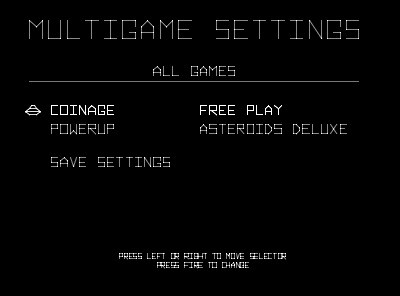
All Games Sub-Menu Contents |

Asteroids Sub-Menu Selected |

Asteroids Sub-Menu Contents |

Deluxe Sub-Menu Selected |

Deluxe Sub-Menu Contents |

Lunar Lander Sub-Menu Selected |

Lunar Lander Sub-Menu Contents |
Within the sub-menu for each fire button press, the current selected field will advance through all of the possible settings for that particular sub item. In this example there are two options for coinage, namely freeplay and 1-coin 1-play.
|
Freeplay |
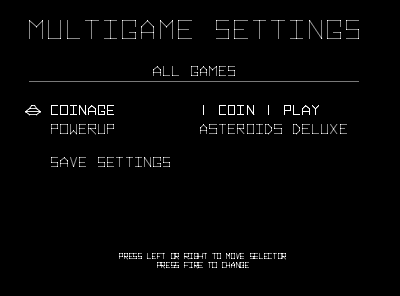
1 Coin 1 Play |
To save the settings and return to main menu, scroll down to the bottom item SAVE SETTINGS and press the fire button. At this point the current active settings will be saved and the game will return to the main menu. It is at this point that high scores are erased if you selected that option.
If for some reason you wish to cancel your changes without saving them, simply take the game out of self-test mode without executing the "SAVE SETTINGS" option!
To return to game play mode, return to the main menu, then select EXIT. That will return you to the testmode screen. At that point take the game out of self-test mode. The new settings will now have taken affect and the configured powerup game will be started.
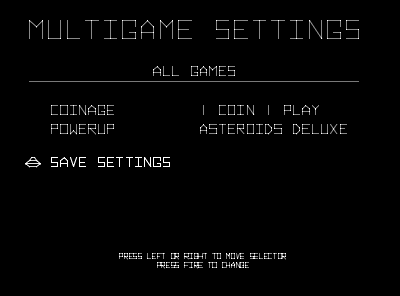
Save Settings |

Select EXIT |
To erase high scores, select the game menu for Asteroids or Asteroids Deluxe, depending on which score table you want to erase. Within the game menu, select the HIGH SCORES sub item. Press fire to toggle through the 3 possible actions.
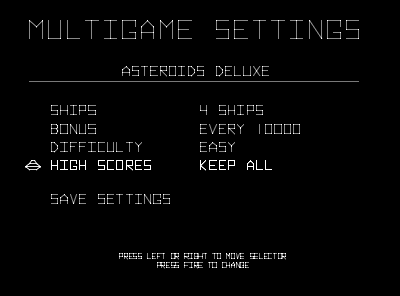
High Scores Remain Unchanged |
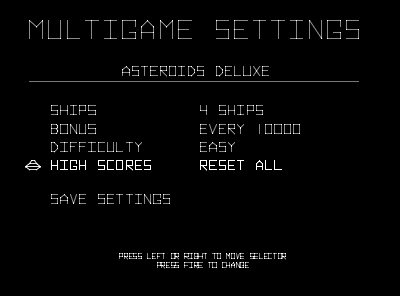
High Scores Get Cleared when Save Settings |