So far the only issues seen with multipede have been either incorrect installation or general Millipede board problems. Multipede kit can only work in a fully functional Atari Millipede board.
General information on various Millipede board problem can be found further down this page.
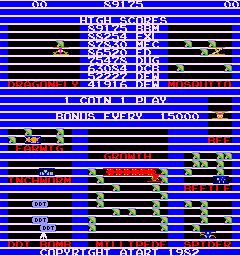
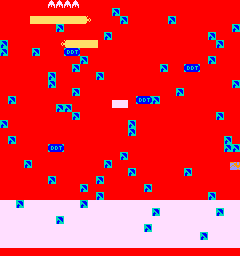
If the smaller Multipede character eprom daughter card is not installed properly or is making bad contact, you may see screen images like these:
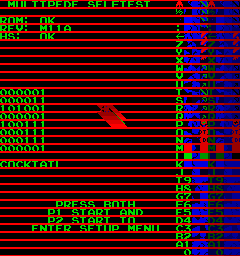
To assist, the multipede testmode will display the text "UPRIGHT" or "COCKTAIL" to show you what the current mode of the game is.
Multipede does not change how upright versus cocktail is selected, it continues to be determined the same way the millipede hardware determines it.
If you are using the arcadeshop.com centi/milli adapter, please make note that for upright move you need to remove the cocktail/upright jumper on the adapter.
If the sounds are incorrect or missing, most likely one or both of the pokey chips are faulty.
The standard Atari Millipede selftest will perform a simple pokey diagnostic and report the result. A failed pokey is indicated on the upper left side of the screen with the text "P0" or "P1" or both. The diagnostic only tests the random number generator function of the pokey, but it does provide some indication if the pokey is bad. The diagnostic does not test the sounds. "P0" means pokey chip at D4 failed. "P1" means pokey chip at B4 failed.
Multipede requires that the millipede board is fully working, any bad pokeys should be replaced before installing the kit.
Pokey chips are used on many classic Atari gameboards including centipede, millipede, asteroids deluxe, missile command, crystal castles, and many many more.
Replacement pokey chips are available from Mike's Arcade.
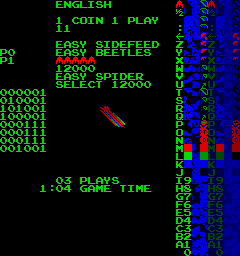
Millipede test mode screen showing
faulty Pokey0 (P0) and Pokey1 (P1)
This is slightly different than Centipede which only performs the memory test when in selftest mode.
If millipede detects any RAM failure, it will not allow the game to be played, it will continually loop repeating the RAM test and beeping.
Replace the faulty chip, and re-test. It should be noted that the test only indicates the first RAM chip to fail, there could be more than one failure, but the first faulty chip needs to be fixed before the test can continue.
| Beeps | Suspect BAD ram chip | |
| 1 | F2 (2114) | |
| 2 | E2 (2114) | |
| 3 | M2 (2101) | |
| 4 | N4 (2101) | |
| 5 | L2 (2101) | |
| 6 | M4 (2101) | |
| 7 | K2 (2101) | |
| 8 | L4 (2101) | |
| 9 | J2 (2101) | |
| 10 | K4 (2101) |
Special thanks to Mike Haaland for taking the time to scan in the Millipede manual and schematics. The manual and schematic are in .pdf form, but have been compressed into .zip files. You will need to uncompress before viewing. Please be friendly to my ISP and only download once. Thank you!
Millipede Manual 57 pages - approx 5MB
Millipede Schematics 13 pages 11"x17" - approx 1.5MB
It should be noted that there are several typographical errors in the schematics.
| Code | Suspect BAD rom chip | |
| R1 | M/N1 | |
| R2 | L1 | |
| R3 | J/K1 | |
| R4 | H1 | |
| EA | P2 (EAROM) | |
| P0 | D4 (pokey) | |
| P1 | B4 (pokey) |

5P and 5R swapped
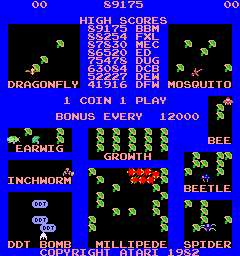
5P and 5R swapped

5P and 5R swapped
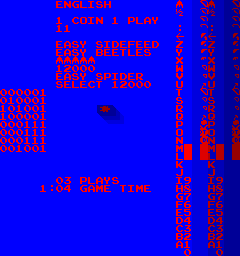
Bad 5P
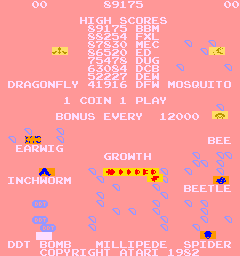
Bad 5P
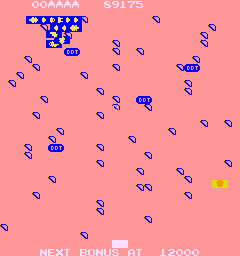
Bad 5P

Bad 5R
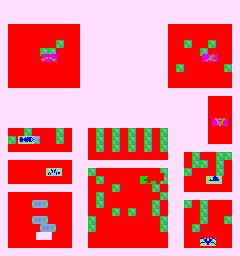
Bad 5R
Bad 5R