|
Pressing and holding the
switch
will cause
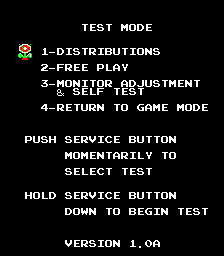
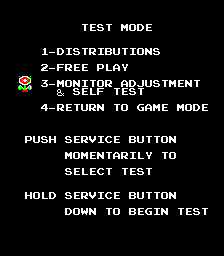
the Test Mode menu to be displayed.
A flashing icon points to the current test. Momentarily depressing the switch will step to the next test. When the flashing icon is pointing to the desired test, the details of that test can be displayed by pressing and holding the switch. You can return to the test mode menu from within a test by pressing and holding the switch until the menu appears. Return to game mode by selecting the last test "Return to game mode" and pressing and holding the switch until it returns to game play mode. |
DK3 |
|
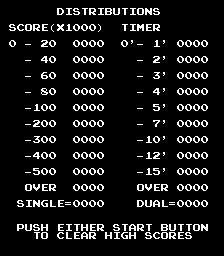
Following the general test mode operation instructions, put the game into test mode. (Press and hold the switch until the menu appears). Select the menu item "1-DISTRIBUTIONS" (normally already selected). Press and hold the switch until the distribution screen appears. |
DK3 |
|
Press or to clear the distributions. Note the message on the bottom indicates this will also clear the high scores. For the Donkey Kong 3 High Score save kit, this also resets the high scores back to the factory defaults. At this point, the game should have returned to the test mode menu with the next item selected. |
DK3 |
|
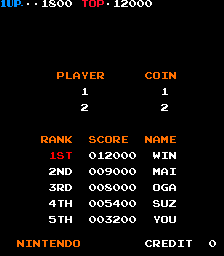
At this point, the game should have returned to the test mode menu with the next item selected. Advance the menu to "4-RETURN TO GAME" by Momentarily depressing the switch will step to the next test. Once the last item is selected, press and hold the switch until it returns to game play mode. At this point the high score table should have the following factor default scores and initials. |
DK3 |
|
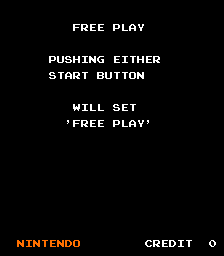
Following the general test mode operation instructions, put the game into test mode. (Press and hold the switch until the menu appears). Select the menu item "2-FREE PLAY" by momentarily pressing the switch. Once selected, Press and hold the switch until the free play screen appears. |

DK3 |
|
Press or to toggle the current free play setting. For the Donkey Kong 3 High Score save kit, the free play option selected will be saved along with the high scores. Press (and hold) the switch to return to the test mode menu. |
DK3 |
|
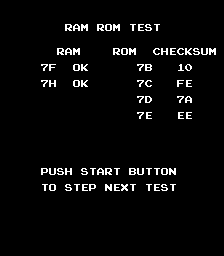
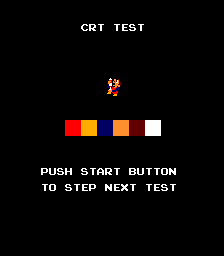
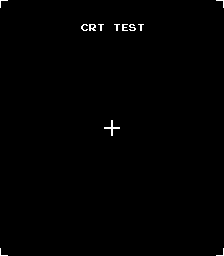
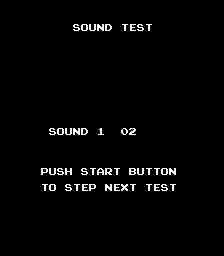
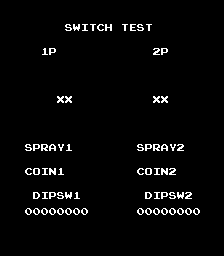
Following the general test mode operation instructions, put the game into test mode. (Press and hold the switch until the menu appears). Select the menu item "3-MONITOR ADJUSTMENT & SELF-TEST" by momentarily pressing the switch. Once selected, Press and hold the switch until the first diagnostic test screen appears. Press either start button to proceed to the next test. The test screens are shown below for reference. |
DK3 |
DK3
DK3
DK3
DK3
DK3